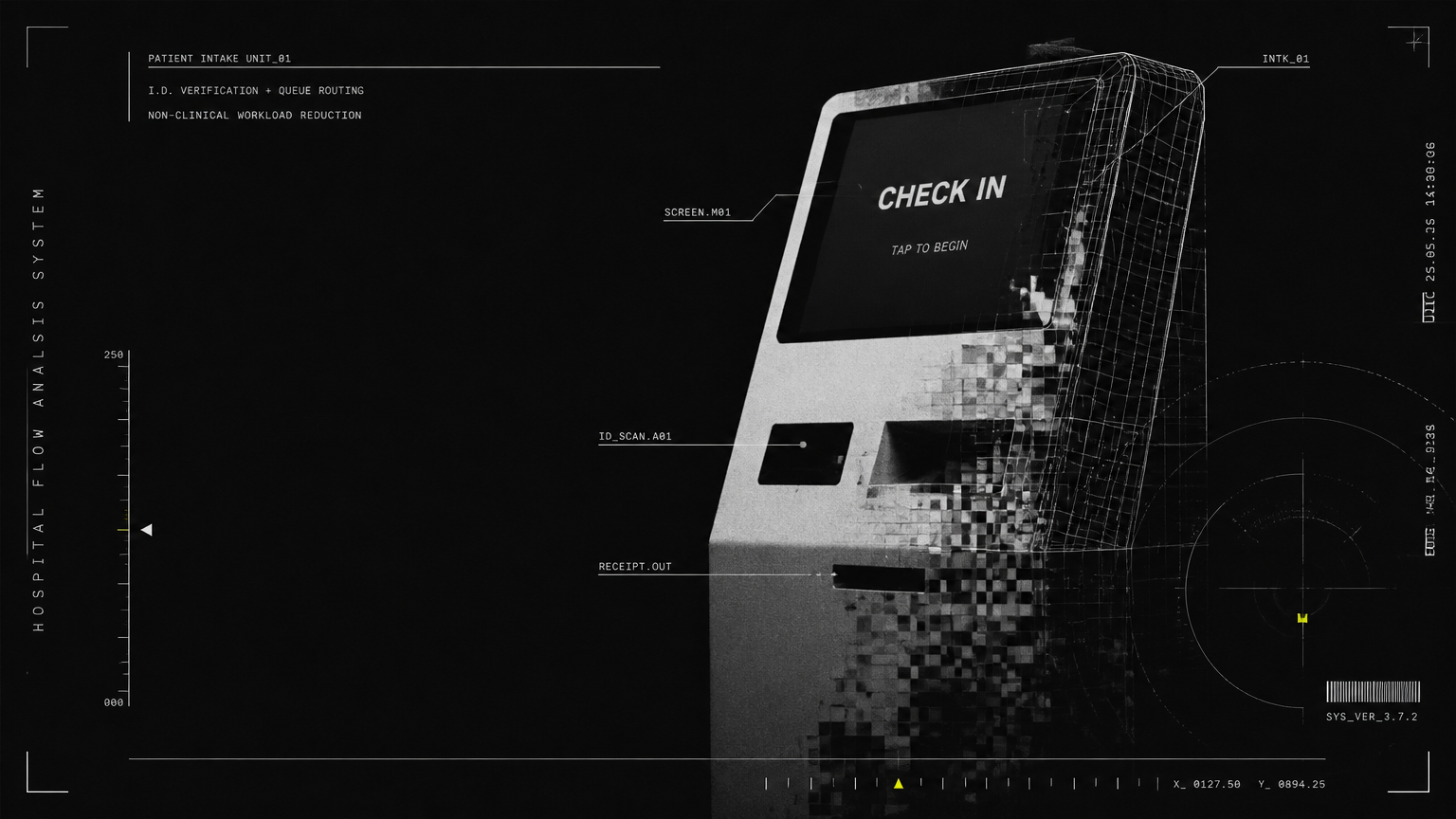
AI check-in kiosks reduce hospital front-desk bottlenecks by automating patient registration, ID verification, and queue routing in seconds, cutting lines and non-clinical workload for staff. For hospitals and clinics, they enable 24/7 contactless intake that improves patient flow, infection control, and round-the-clock service consistency.
If you are evaluating a hospital check in kiosk for a high-volume OPD, emergency waiting area, diagnostic center, or multi-specialty clinic, the real question is not whether patients will use self-service — it is how well the system integrates with your staff, HIS/EMR, and peak-hour patient flow. This guide breaks down how modern patient intake automation works in practice, and what hospital administrators should look for when moving from standalone kiosks to hospital front desk automation at scale.
How a Hospital Check In Kiosk Unclogs Front-Desk Bottlenecks
Morning OPD rush, discharge-hour billing queues, visitors asking for directions while new patients wait to register — most front-desk bottlenecks are not caused by staff inefficiency. They are caused by too many different non-clinical tasks converging on one counter.
An AI check in kiosk for hospitals separates and parallelizes those tasks. Instead of one queue for everything, patients complete routine steps in under a minute at a patient self check in kiosk, while staff handle only exceptions, elderly patients, and complex cases.
Automated registration in seconds, not minutes
A traditional registration takes 4-7 minutes per patient: asking for name, phone, appointment ID, insurance, previous visit details, and re-typing it into the system. A hospital self check in system compresses this to 30-60 seconds:
- Appointment lookup via mobile number, UHID, QR code, or ABHA ID
- ID verification with document scan, face match, and OTP authentication
- Auto-pull of returning patient demographics from HIS/EMR to avoid re-entry
- Digital consent forms, medical history questionnaires, and symptom intake
- Automatic token generation with doctor, room number, and estimated wait time
For hospital administrators, this means 3-4 kiosks can absorb the registration load of an entire OPD counter during peak hours, without adding headcount.
Smarter triage routing and queue management
Registration is only half the bottleneck. The other half is routing — sending the right patient to the right queue.
Modern patient intake automation does not just print a token. It applies rules-based routing:
- New vs. follow-up segregation for OPDs
- Priority routing for senior citizens, PwD, emergency, and paid vs. insurance patients
- Department-wise load balancing across counters and doctors
- Real-time queue display integration with waiting-area screens and SMS updates
- No-show and late-arrival handling without manual rescheduling at the desk
When queue management is built into the kiosk workflow, waiting areas become calmer and more predictable. Patients know where to go and how long they will wait, which dramatically reduces crowding around the front desk.
Payments, pre-authorizations, and wayfinding for dense patient flow
Front desks in Indian hospitals often double as billing helpdesks and information desks. A well-designed hospital check in kiosk offloads these adjacent tasks too:
- OPD consultation fee collection via UPI, cards, and wallets with instant receipt
- Insurance and TPA document upload for pre-authorization initiation
- Lab and radiology order check-in with sample-collection routing
- Interactive hospital maps, department directions, and multi-language wayfinding
- Visitor pass issuance and appointment letters without staff intervention
This is especially critical for large hospitals, medical colleges, and transit-adjacent clinics where hundreds of patients arrive in waves and wayfinding questions alone can stall the registration line.
Relieving Non-Clinical Burden and Round-the-Clock Strain
Healthcare leaders consistently cite the same three pressures: infection control, non-clinical task load, and round-the-clock strain on thin front-office teams. Contactless intake addresses all three at once.
24/7 contactless patient check in without adding night shifts
Emergency departments, casualty wards, pharmacies, and 24-hour diagnostic labs cannot close their front desks at 10 PM. But staffing a full reception team overnight is expensive and unsustainable.
Contactless patient check in enables:
- Self-registration for late-night OPD, emergency attendants, and diagnostics
- After-hours appointment booking and next-day token issuance
- Discharge-initiated follow-up scheduling without waiting for morning staff
- Consistent greeting and process adherence at 3 AM, just as at 10 AM
Rather than replacing receptionists, this model extends their coverage. Day teams handle empathy-intensive work, while kiosks and AI receptionists maintain service consistency overnight.
Infection control by design, not by plexiglass
Shared clipboards, pens, paper forms, and crowded queues are infection risks. A contactless-first intake flow reduces physical touchpoints and person-to-person crowding:
- Touchless options via QR scan, mobile check-in, and voice-guided kiosks
- Antimicrobial screen coatings and spaced kiosk placement for social distancing
- Reduced lobby dwell time because patients move straight to waiting zones
- Digital forms that eliminate paper handling between patients and staff
For infection-control committees and NABH-focused facilities, this is a measurable improvement in lobby hygiene and crowd density, not just convenience.
Redeploying staff from data entry to patient care
The biggest ROI of hospital front desk automation is not fewer staff — it is better-utilized staff. When a patient self check in kiosk handles 60-70% of routine registrations, front-office teams can be redeployed to:
- Patient helpdesk and grievance resolution
- Insurance desk support and discharge coordination
- Elderly and first-time patient assistance at kiosks
- Real-time queue monitoring and doctor-chamber coordination
Hospitals that do this well report shorter perceived wait times, fewer registration errors, and higher patient satisfaction scores, even without increasing front-desk headcount.
Traditional Desk vs. Kiosk vs. AI Receptionist Fleet
Administrators often ask whether to add staff, add kiosks, or invest in AI receptionist robots. Each has a role, but they perform very differently under dense, continuous patient flow.
| Criterion | Traditional Front Desk Only | Standalone Patient Self Check In Kiosk | AI Receptionist Fleet with Kiosks |
|---|---|---|---|
| Peak-hour throughput | Limited by staff count, 1 patient per executive at a time | High, parallel check-ins across multiple kiosks | Highest, kiosks + mobile robots + central fleet management |
| Availability | Shift-dependent, gaps at night and during breaks | 24/7 for routine registration | 24/7 with proactive monitoring and remote support |
| ID verification & HIS/EMR sync | Manual entry, higher error risk | Automated scan, OTP, and HIS/EMR lookup | Automated + fleet-wide analytics and predictive maintenance |
| Patient guidance | Verbal directions, repeated queries | On-screen wayfinding and token slip | Voice interaction, multilingual guidance, and escort to department |
| Infection control | High-contact paper and queue crowding | Low-contact, dispersed queues | Low-contact plus reduced lobby crowding via active guidance |
| Staff impact | High non-clinical load, burnout risk | Frees staff for exceptions and care coordination | Frees staff plus central visibility across lobbies and floors |
| Scalability across branches | Requires hiring per location | Requires hardware per location | Scales via software fleet management across hospitals and clinics |
For most mid-to-large hospitals, the practical path is hybrid: kiosks for transaction volume plus an AI receptionist layer for guidance, language support, and fleet-wide control.
From Kiosk to AI Receptionist Fleet: What a Modern Hospital Check In Kiosk Must Integrate With
A kiosk that cannot talk to your hospital systems creates a second queue instead of removing one. True hospital front desk automation connects intake to the rest of the patient journey.
Integration with HIS, EMR, and queue management
Look for open-API integration, not just a standalone tablet:
- Bidirectional sync with HIS/EMR for demographics, appointments, and visit history
- HL7 / FHIR-ready data exchange for lab, radiology, and pharmacy modules
- Live queue engine that updates doctor dashboards and display screens
- Audit trails for consent, payments, and data access for compliance
- Offline fallback mode so registration continues during network dips
This integration is what turns a patient self check in kiosk from a check-in device into a hospital self check in system that administrators can trust for daily operations.
Multilingual support and accessibility for real hospital demographics
Hospitals serve elderly patients, first-time visitors, and families speaking multiple languages. Usability determines adoption.
Best-practice AI check-in flows include:
- Hindi, English, and regional language voice and text prompts
- Large fonts, high-contrast mode, and audio guidance for low-literacy users
- Wheelchair-accessible kiosk height and attendant-call button
- OTP-less options for elderly patients assisted by family or staff
- Human handoff — one tap to video-call or alert a floor executive
When patients feel guided rather than abandoned to a screen, kiosk adoption rises sharply, even in government hospitals and high-footfall public facilities.
Scaling across hospitals, clinics, and diagnostic networks
Single-lobby pilots are easy. Multi-site consistency is hard. Facility managers overseeing hospital chains, medical colleges, and satellite clinics need centralized control:
- Central dashboard for kiosk health, uptime, queue length, and usage by site
- Remote content updates for doctor schedules, tariffs, and health-camp messaging
- Predictive maintenance alerts before printers, scanners, or payment modules fail
- Standardized patient experience across OPD, IPD attendant, lab, and pharmacy touchpoints
This is where Allbotix takes a fleet approach rather than a device approach. Allbotix engineers and deploys AI receptionist robots, cleaning, serving, AMR, cobot, and humanoid platforms paired with proprietary AI fleet-management software with real-time monitoring and predictive maintenance. Built in-house with full IP ownership — not assembled from off-the-shelf parts — the fleet is designed for 99.8% uptime and 24/7 Premium Support.
With 525+ robots developed and 180+ happy clients across corporate campuses, government facilities, retail, education, hospitality, and healthcare, and backing from publicly listed Nanta Tech Limited, Allbotix brings precision engineering to high-density public environments. For hospitals, that means a hospital check in kiosk deployment can start at one OPD lobby and scale into a coordinated fleet of receptionists, queue managers, and wayfinding assistants across blocks and branches, all manufactured in India and tailored to a client's specific scale and workflow.
What Administrators Should Measure After Deployment
To prove that patient intake automation is working, track operational metrics for 30, 60, and 90 days:
- Average registration time and peak-hour queue length
- Percentage of check-ins completed without staff help
- No-show rate and on-time OPD start rate
- Front-desk staffing hours redeployed to care coordination
- Registration error rate and duplicate UHID creation
- Patient satisfaction (PSAT) and lobby crowding complaints
Hospitals that combine contactless intake with active queue routing typically see the fastest gains in perceived wait time — often before any change in doctor consultation speed — because the lobby feels organized from the moment patients enter.
A hospital check in kiosk is not just a self-service screen. Done right, it is the front door to calmer lobbies, cleaner infection control, and front-office teams finally free to focus on patients, not paperwork.
Ready to reduce front-desk bottlenecks without adding shifts? Talk to Allbotix to design a hospital self check in system and AI receptionist fleet engineered for your patient volume, languages, and HIS/EMR workflow — backed by in-house precision engineering, fleet-wide software, and 24/7 support.