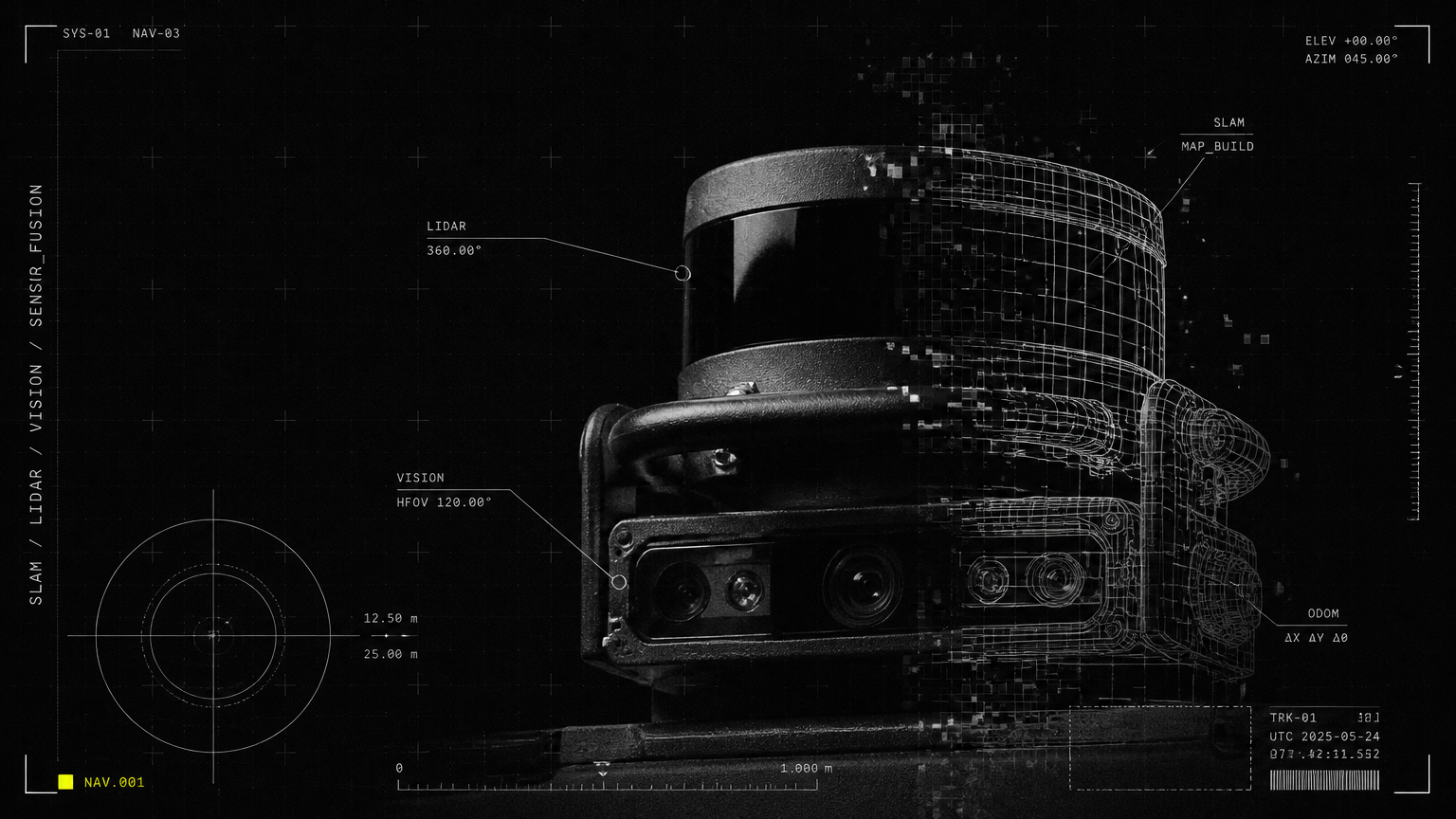

Cleaning robots get stuck for predictable reasons: physical obstacles and site layout (cables, thresholds, low furniture), navigation or mapping errors, sensor or wheel/brush faults, and configuration or scheduling mismatches. Most problems are fixed by clearing or marking trouble spots, updating/recalibrating software and sensors, adjusting maps/virtual boundaries, performing basic maintenance, or escalating to fleet-management/predictive-maintenance support for persistent or site-scale issues. If you’ve searched “why is my robot vacuum getting stuck,” the sections below give fast diagnostics, fixes, and preventative steps tailored to single machines and enterprise fleets.
Part of our guide to Maintenance, Support & Lifecycle: What's Inside a Robot AMC? Service Contracts, SLAs and Response Times.
Why Is My Robot Vacuum Getting Stuck? 10 Common Causes and Fixes
H2s that include the focus keyword: Below we walk through 10 frequent causes of “why is my robot vacuum getting stuck” and how to fix them quickly—whether you operate a single cleaning robot or manage a fleet across offices, campuses, retail or healthcare sites.
1) Loose cables and small obstructions
Problem: Power cords, charging cables, shoe laces, small toys or paper can tangle in wheels or brushes and arrest a robot’s motion. How to diagnose: Check the error code for wheel stall or entanglement; inspect around the stuck location for loose items. Quick fix: Remove the obstruction, pick up cables and temporarily cable-tie or route them away from robot paths. Prevention: Use cable covers, cord risers, or run frequent quick-sweep patrols by staff; add virtual no-go zones in the map.
2) Thresholds, door sills and abrupt height changes
Problem: Robots can’t climb or can catch on high thresholds, metal door strips, or uneven tiles. How to diagnose: Robot stalls consistently at the same doorway or shows “cliff/immobility” warnings. Quick fix: Add a small aluminum ramp, replace or smooth the threshold, or mark that area as a no-go on the map. Prevention: During site setup, note threshold heights and plan routes or provide hardware ramps for navigation.
3) Low-clearance furniture and under-furniture entrapment
Problem: Low sofas, cabinets, or tables trap robots if clearance is less than robot height or if wheels snag. How to diagnose: Robot gets under the same furniture repeatedly and stops. Quick fix: Block under-furniture access with temporary skirting or furniture bumpers, or place obstacles that prevent entry. Prevention: During initial mapping, mark low-clearance areas as restricted. For fleet environments, standardize furniture selection to avoid problem clearances.
4) Area rugs, fringes and transitions
Problem: Thick rugs, rug fringes or loose edges can get caught in brushes or wheels; moving rugs shift during cleaning. How to diagnose: Robot stalls on rugs or reports brush blockage. Quick fix: Remove or secure rugs, flip up fringes, or exclude rug zones from cleaning schedules. Prevention: Use low-pile rugs or anchoring tape, and schedule rug cleaning during supervised windows.
5) Uneven or wet floors (robot mop getting stuck)
Problem: Robot mops can struggle with deep puddles, wet adhesives, or very uneven surfaces that cause slippage or sensor confusion. How to diagnose: Slip warnings, wheel spin without forward progress, or mop module alerts. Quick fix: Dry the area, remove sticky residue, and run a test pass. If the mop’s wheels are contaminated, clean them. Prevention: Add temporary exclusion zones for wet-work, and route mop runs after spills have been mopped up manually if needed.
6) Wheel, caster or brush wear and jams
Problem: Worn treads, hair tangles, or trapped debris impede traction or rotation. How to diagnose: Visual inspection of wheels and brush rolls; watch for differential wheel speed errors in logs. Quick fix: Clean hair and debris from wheels and brushes, trim tangled fibers, replace worn components. Prevention: Implement a maintenance cadence (see checklist later) and keep replacement spares on site.
7) Dirty or obstructed sensors (bump, cliff, LIDAR, IR)
Problem: Blocked optical or ultrasonic sensors cause false cliffs or failure to see obstacles; LIDAR dust leads to mapping errors. How to diagnose: Inconsistent mapping, phantom stops, or frequent “obstacle” prompts that don’t match reality. Quick fix: Clean sensing windows with a microfiber cloth and isopropyl alcohol if recommended; reboot and run a short mapping routine. Prevention: Schedule sensor checks; avoid sprays that leave residue; use protective covers where possible.
8) Mapping and navigation errors (SLAM drift)
Problem: SLAM/map drift or outdated floor maps make the robot think a clear area is blocked or misroute it into dead-ends. How to diagnose: Robot stops at or near mapped obstacles, or repeatedly attempts the same failed path. Quick fix: Re-run mapping or map correction tools, delete stale maps, or recalibrate localization. Prevention: After site changes (new furniture, renovated spaces), update maps and maintain a versioned map library.
9) Firmware/software bugs or compatibility issues
Problem: Outdated firmware or mismatched software modules can cause unexplained stalls or incorrect path planning. How to diagnose: Check firmware version, recent update notes, and error logs. If multiple robots of same model behave similarly after an update, suspect software. Quick fix: Roll back to a stable firmware if available, or apply the vendor’s hotfix. Reboot and validate. Prevention: Test updates on a small pilot group before mass deployment; use staged rollout policies for fleets.
10) Scheduling, permissions and human factors
Problem: Cleaning scheduled during high-traffic events leads to collisions and entrapment; staff moving obstacles into robot paths. How to diagnose: Stuck incidents cluster around busy times or events. Quick fix: Reschedule runs for off-peak hours, post signage when robots are operating, and train staff on “robot-safe” practices. Prevention: Use intelligent scheduling integrated with building calendars; employ temporary human supervisors for complex events.
Quick diagnostics flow: 3-minute checklist
- Is the robot physically free? Remove visible obstructions.
- Are wheels and brushes turning? Clean and test.
- Any sensor error or map message? Clean sensors and review logs.
- Is the area blocked in the map? Check virtual no-go zones.
- Firmware current? Reboot and confirm latest stable build.
Hardware, sensor and software troubleshooting (for technicians)
H2: Why is my robot vacuum getting stuck — hardware, sensors and software troubleshooting
- Clean and inspect:
- Wheels and casters: clear hair and debris; rotate manually to detect free movement.
- Brush rolls and intake: remove trapping strings; check bearings.
- Sensors: wipe LIDAR, cliff sensors, bumpers and camera lenses with a soft cloth.
- Mechanical checks:
- Spin each wheel manually; listen for grinding bearings.
- Check battery connection and chassis screws for looseness.
- Software checks:
- Reboot robot and run a short diagnostic routine.
- Recalibrate localization (SLAM) per vendor instructions.
- Review logs: note repeating error codes, timestamps and map coordinates.
- Firmware:
- Confirm firmware is official, not beta; roll back if a recent update introduced faults.
- Apply vendor hotfixes selectively after testing on one unit.
- Advanced:
- If available, export logs and map snapshots and correlate stuck incidents across units to identify site-level causes.
Interpreting error logs to pinpoint failures
- Look for repeated error types across timestamps: wheel stall, LIDAR timeout, map mismatch.
- Correlate GPS/odometry drift with time-of-day or environmental factors (dusty shifts, HVAC cycles).
- For fleets, auto-aggregation of incidents shows hot-spots—valuable for targeted site remediation.
Operational prevention and enterprise options
H2: Why is my robot vacuum getting stuck — operational prevention and fleet-scale solutions
Basic site best practices
- Build a “robot-safe” route during commissioning—mark thresholds, anchor loose rugs, and secure cables.
- Set virtual no-go zones and buffer areas around delicate or high-risk assets (server racks, med equipment).
- Schedule cleaning for predictable low-traffic windows and coordinate with building events.
Maintenance & supervision
- Weekly quick-clean (wheels, brushes, sensors); monthly deep service (bearings, batteries).
- Keep spare wear parts on site; train on quick field replacements.
- Use a simple incident log to track repeat spots and fixes.
When to upgrade to fleet-management and predictive maintenance
- If you manage multiple robots, frequent stuck incidents, or mission-critical uptime requirements (airports, hospitals, manufacturing), fleet management delivers:
- Centralized monitoring and aggregated incident heatmaps
- Predictive alerts for wear-and-tear and imminent failures
- Over-the-air map and firmware rollouts with staged testing
- Automated scheduling tied to building calendars and peak/low traffic detection
| Option | DIY / Manual Management | Basic Vendor Support | Allbotix Fleet-Management & Predictive Maintenance |
|---|---|---|---|
| Best for | Single-unit owners or pilots | Small deployments (2–10 units) | Medium to large fleets (10+ units) across multiple sites |
| Incident visibility | Local only, per-robot | Per-unit reports, vendor ticketing | Centralized dashboard, real-time alerts, incident heatmaps |
| Firmware/map updates | Manual, per-unit | Vendor-assisted | Staged OTA rollouts, rollback, map versioning |
| Predictive maintenance | Reactive | Limited scheduled servicing | AI-driven predictive alerts and downtime reduction |
| Uptime impact | Variable | Improved with support contracts | Proven (Allbotix: 99.8% uptime across deployments) |
| Support hours | Business hours | Vendor SLA | 24/7 Premium Support (Allbotix option) |
Note: Allbotix engineers and deploys multi-vertical robots and pairs them with proprietary fleet-management software designed in-house. For customers with critical uptime needs, Allbotix combines precision engineering and predictive maintenance to reduce repeat “robot vacuum stuck” incidents at scale.
On-site map optimization and virtual no-go strategies
- Walkthrough mapping: Create a commissioning map with facilities staff present; note dynamic obstacles (kiosks, seasonal displays).
- Buffer zones: Create margins around furniture and thresholds—prevents scraping and misreads.
- Dynamic exclusions: For event or construction days, push temporary no-go updates from the fleet dashboard.
When to call vendor or escalate
Call vendor support or consider fleet-management upgrade if you observe:
- Repeated stuck incidents at the same coordinates after fixes.
- Multiple robots exhibiting the same fault after an update (likely firmware or map corruption).
- Downtime impacting operations (safety, infection-control, guest experience).
- You manage many sites and need centralized visibility and predictive servicing.
When escalating, provide:
- Robot ID, firmware version, and last service date
- Error logs and screenshots of the map with incident coordinates
- Video or timestamped notes from the incident
Quick maintenance schedule (recommended)
- Daily: Empty dust bin, check for visible obstructions, quick sensor wipe.
- Weekly: Clean brush rolls, wheels, and charging contacts; inspect filter.
- Monthly: Check battery health, firmware updates, and cabling; run calibration.
- Quarterly: Full service—replace wear parts, deep sensor clean, verify SLAM integrity.
Real-world example (summary)
In a co-working campus, repeated entrapment incidents at a reception doorway were solved by (1) smoothing the threshold, (2) adding a 15cm ramp, (3) updating the robot’s map to mark the doorway with a 5cm clearance buffer, and (4) enabling Allbotix’s fleet heatmap to confirm the fix across multiple shifts—reducing stuck incidents by over 90% during the pilot.
Conclusion and next steps If your cleaning robot keeps getting stuck, start with the quick physical checks (obstructions, brushes, sensors), then move to mapping and firmware validation. For single devices, routine maintenance and smart scheduling usually solve most problems. If you operate multiple machines or need mission-critical reliability, centralized fleet management and predictive maintenance cut repeat incidents dramatically.
Need help diagnosing a persistent problem or planning a site-wide deployment? Allbotix engineers fleets with precision engineering and limitless innovation—525+ robots developed, 180+ clients onboard, and a demonstrated 99.8% uptime. Contact Allbotix for 24/7 Premium Support, on-site commissioning, or to evaluate fleet-management upgrades that prevent repeat “robot vacuum stuck” incidents at scale.